
SmartForm
Approval forms built from your monday.com items.
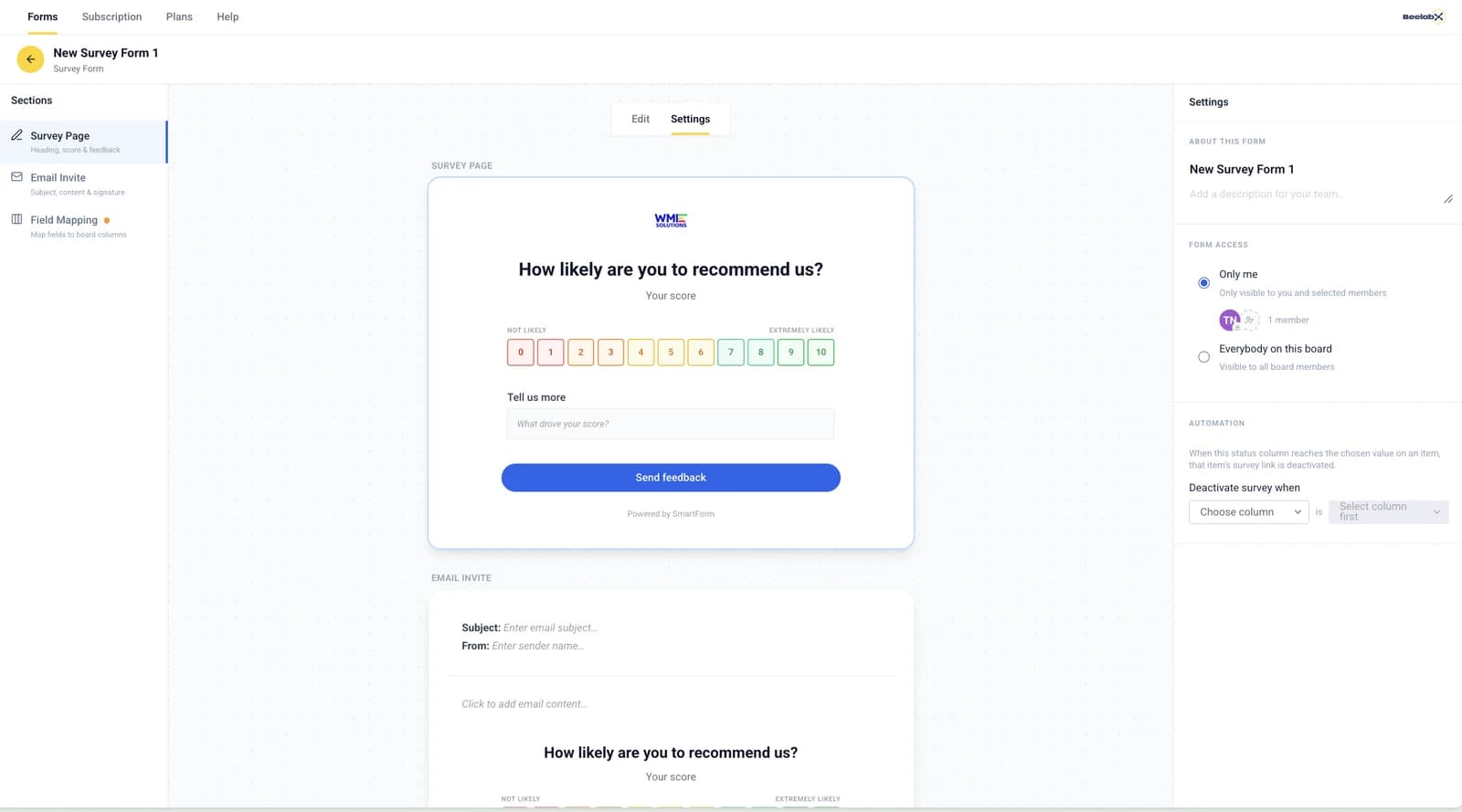
Create forms from item or subitem columns, share them by link, and collect feedback, signatures and files, with every answer written back to the board.
No credit card required · 14-day free trial · Cancel anytime
Approvals that live on the board, not in email.
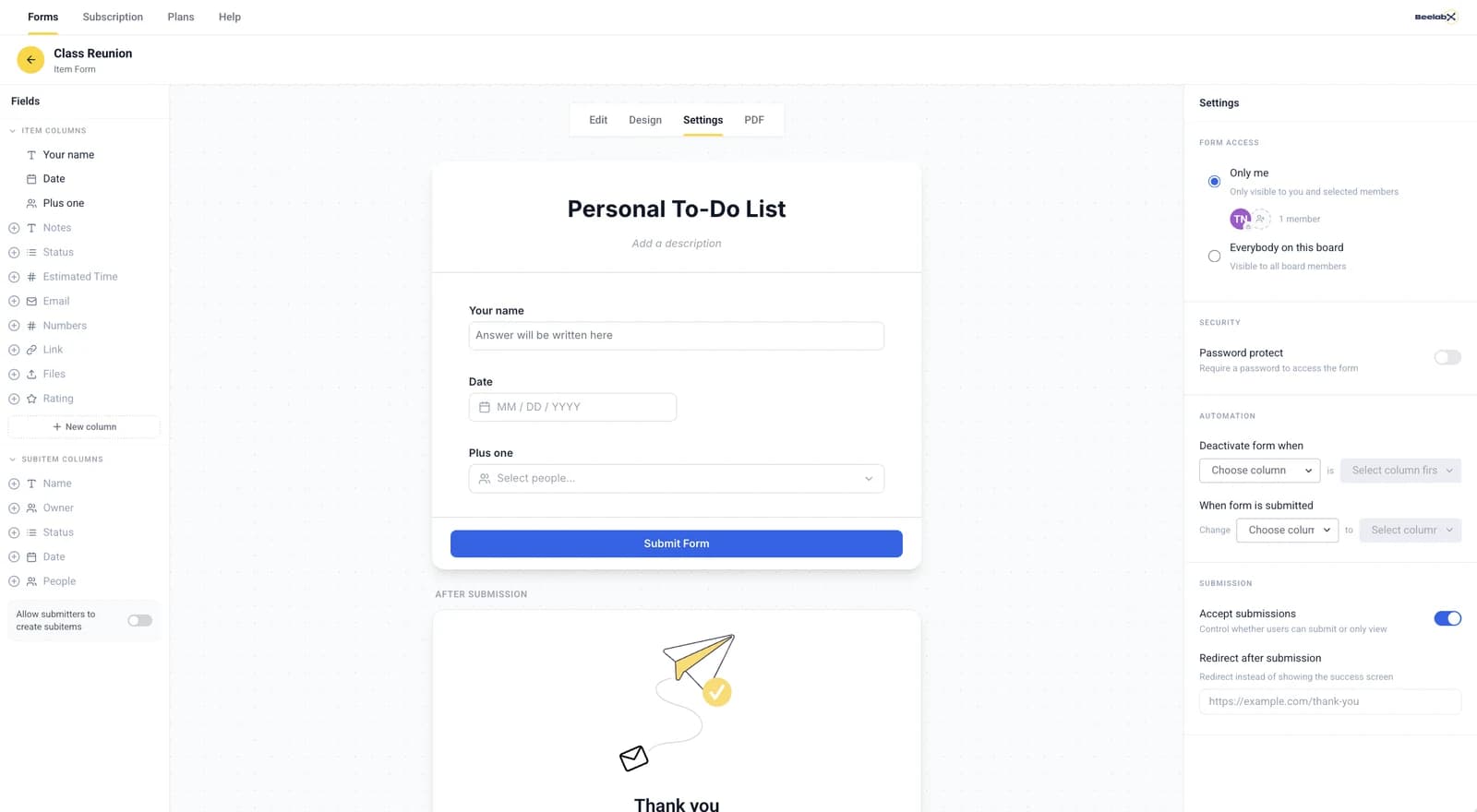
SmartForm turns item and subitem data into shareable forms. Decide which fields people can see, edit or must fill in, group them into sections, and let monday automations take over when the form is submitted.
- Create multiple forms per board for item and subitem approvals
- Collect signatures and feedback through shareable links
- Rename, reorder and group fields into sections
- Control whether each field is visible, editable or required
- Trigger automations and status updates when a form is submitted
Send the form when it's time to approve.
Use a monday.com recipe to generate a unique form link for each item. When the form comes back, SmartForm can update a status or deactivate the link for you.
Automation recipe · SmartFormWhen Status changes to Needs approval, generate a form link in Approval link.
Automation recipe · SmartFormWhen the form is submitted, change Status to Approved.
Design the form. Control every field.
Plans for every approval volume.
Every plan starts with a 14-day free trial. Billed through monday.com.
For individuals and small teams with occasional approvals.
- 100 operations
For teams with recurring approval workflows.
- 250 operations
For growing teams that rely on structured feedback.
- 2,500 operations
For advanced use cases with several approval layers.
- 5,000 operations
For enterprises with high form usage.
- 15,000 operations
For large organizations with high-volume form needs.
- Unlimited operations
Need a custom plan for your enterprise? Contact us
Move your approvals onto the board.
Installed 816 times by teams on monday.com. Create your first form in minutes.